Caffeine alternative · Mac & Windows

A Caffeine alternative for Mac and Windows

Caffeine is a different app depending on your platform. Green Dotter is one app that covers both, and it keeps your status active while it's at it.

Official Green Dotter download

Green Dotter is available two official ways: install from the Microsoft Store, or download it directly from green-dotter.com. No account, email address or subscription is required.

~3.5 MB standalone appMac and WindowsFree. No account required.
Green Dotter’s compact bar on a desktop. It clicks at random points inside one safe area you chose, or wiggles the mouse. Touch the mouse and it pauses, waiting for you. Leave it and it carries on.

Set up in a minute.

Pick a mode and press Start. That's the whole job.

Click

Choose one exact spot, or draw a box and it clicks somewhere inside it. Clicks land at random intervals inside the range you set, so the rhythm isn't mechanical.

Wiggle

Nothing to pick. The mouse drifts a little, the way yours does while you read. Choose how long, press Start, and leave it.
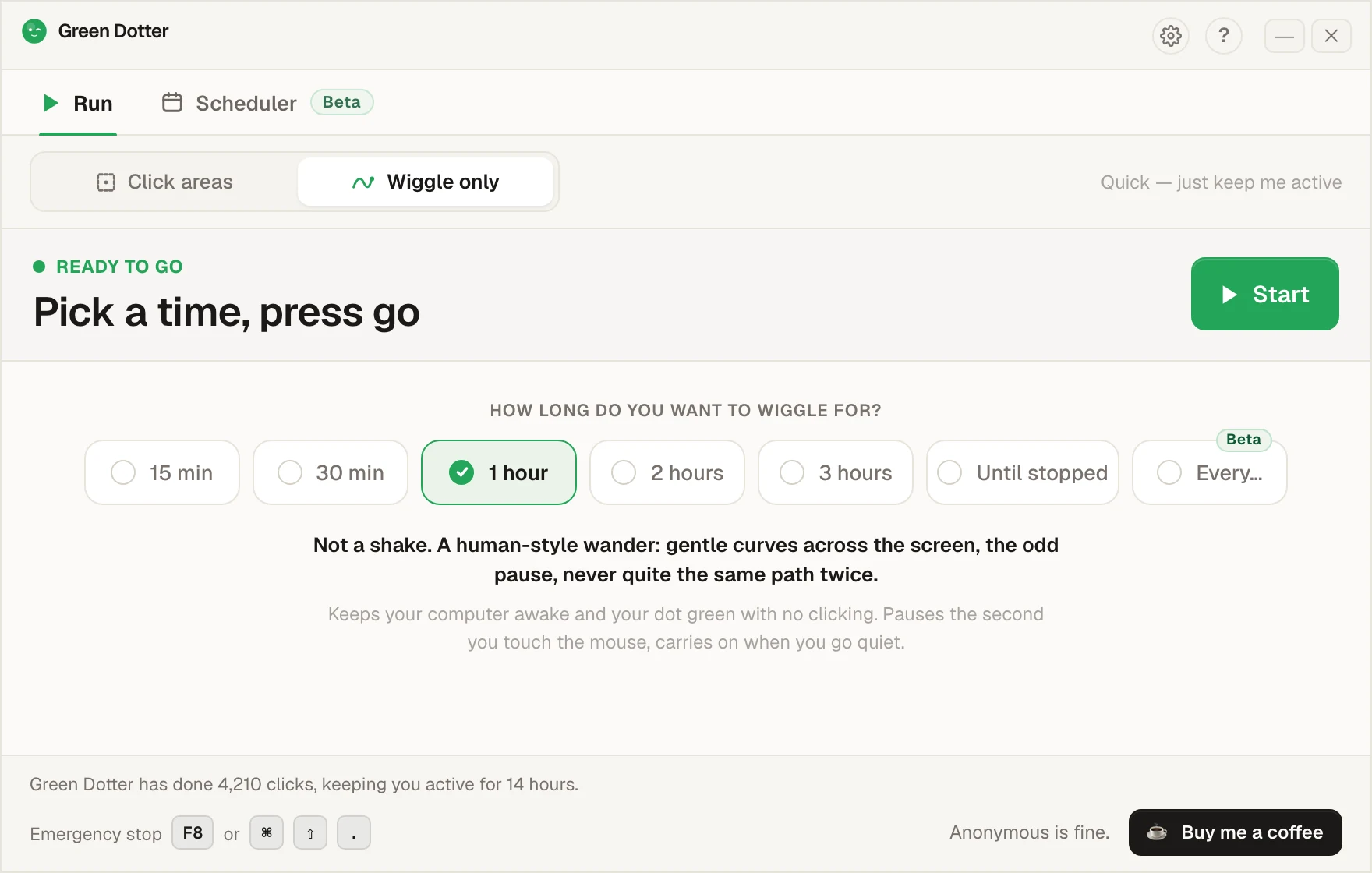
Green Dotter's main screen set to Wiggle only. A row of options offers 15 min, 30 min, 1 hour, 2 hours, 3 hours, Until stopped and Every, with 1 hour chosen, and a green Start button.

It steps aside when you take over.

Touch the mouse and it pauses, then carries on once you stop. While it runs it folds down to a small bar you can park in a corner.
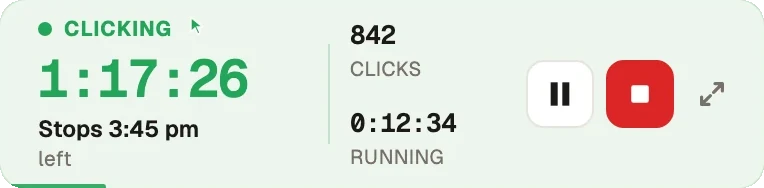
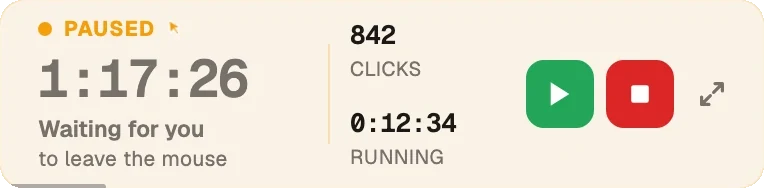
Green Dotter's compact bar while clicking: 1 hour 17 minutes left, stops at 3:45 pm, 842 clicks so far, with pause and stop buttons. The same bar in amber after the mouse was touched: Paused, waiting for you to leave the mouse, with resume and stop buttons.
Beta · new in 2.10

Set the week once.

Pick your days and hours, add a lunch break. Start and stop times shift by a few minutes each day, so it isn't clocking in at 9:00 sharp.
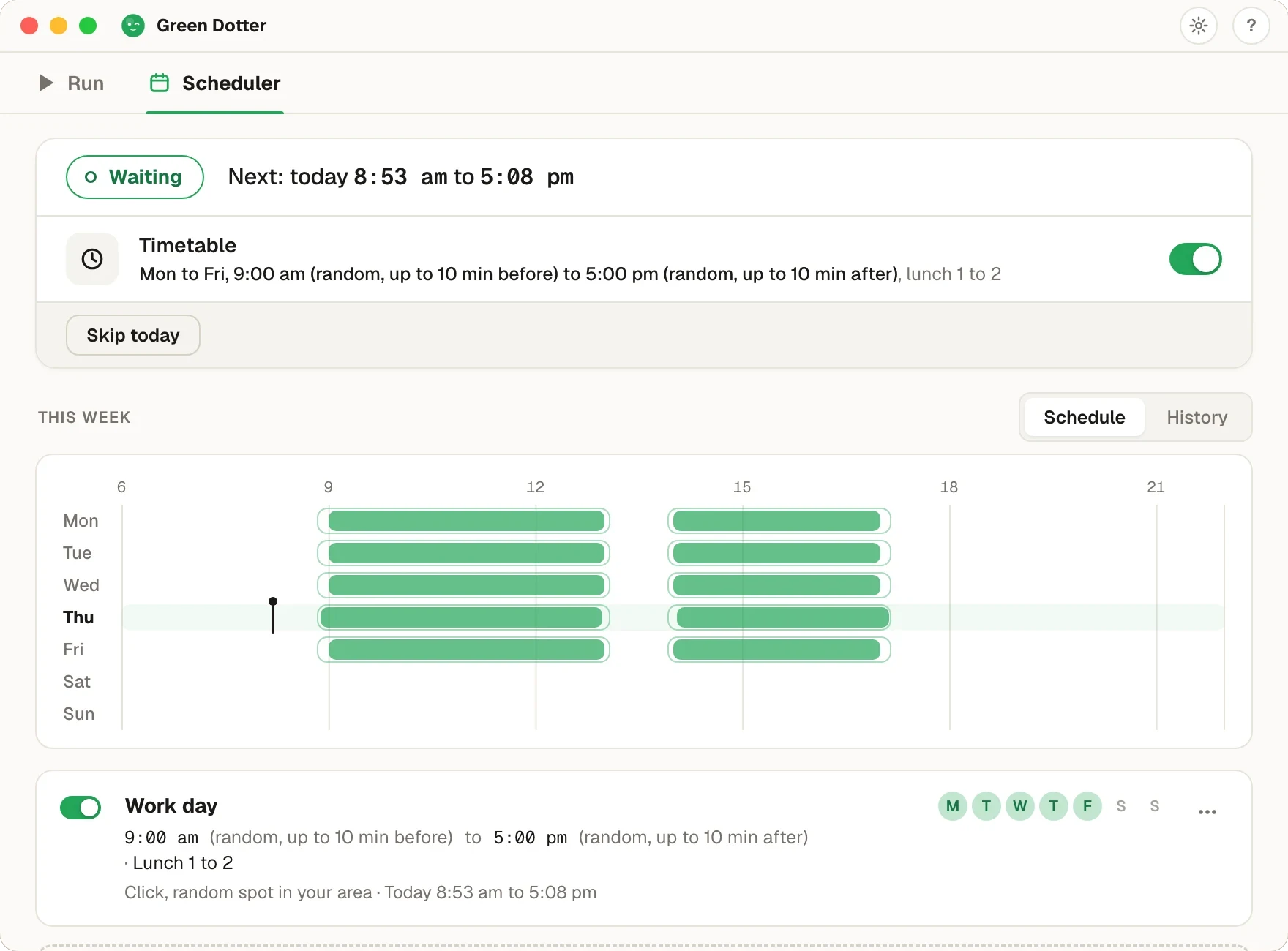
Green Dotter's Scheduler tab. Status Waiting, next run today 8:53 am to 5:08 pm. A Timetable for Monday to Friday, 9:00 am to 5:00 pm with random starts up to 10 minutes before and stops up to 10 minutes after, lunch 1 to 2. Below, a week strip with green bars on each weekday and a gap at lunch.

Green Dotter has to be open, the tray is fine, and your computer on and signed in. It can't wake a sleeping computer. It's new, so if something looks off, tell us.

Which Caffeine do you mean?

There are two well-known Caffeines. On Mac, it's the little coffee cup in the menu bar that stops your screen sleeping. On Windows, it's a tray tool that presses F15 for you every 59 seconds. Both have been around for years, both are free, and both mostly still work.

The Mac one has the same limit as every pure keep-awake tool: no input, so your Slack or Teams dot goes yellow even though the screen is on.

The Windows one does create input, but it's a single invisible keypress on a fixed schedule, and the odd app reacts strangely to F15. You can't see what it's doing or shape when it does it.

Green Dotter does the job with mouse movement you can actually watch, or clicks on a spot or inside an area you choose. Same result on Mac and Windows, one app, and it pauses itself the moment you touch the mouse.

Green Dotter vs both Caffeines

 Green DotterCaffeine (Mac)Caffeine (Windows)
Keeps your computer awake✓✓✓
Creates real input✓✗✓ F15 keypress
Natural mouse movement✓✗✗
Clicks a safe area you choose✓✗✗
Pauses when you come back✓✗✗
Mac support✓✓✗
Windows support✓✗✓
Free✓✓✓

Both Caffeines are fine at what they do. The difference is control: Green Dotter shows you what it's doing, lets you pick where clicks land, and covers keeping your computer awake on either platform with one download.

Why people switch to Green Dotter

One app for both machines. No more coffee cup on the Mac and a different tray tool on the PC. Same modes, same settings, both platforms.

You can see what it's doing. An invisible F15 press is fine until something misbehaves and you can't tell why. Green Dotter's wiggle and clicks are visible, and the dashboard shows every session.

It gets out of your way. Green Dotter pauses automatically when you move the mouse yourself and resumes when you stop. No toggling anything on and off.

Also compared: Amphetamine, Move Mouse and PowerToys Awake.

Official Green Dotter download

Official Green Dotter download

Green Dotter is available two official ways: install from the Microsoft Store, or download it directly from green-dotter.com. No account, email address or subscription is required.

Get Green DotterControlled clicks, simple setup. Green Dotter clicks where you tell it to, on a natural schedule, and gets out of your way when you're back. Free.