Mouse mover · Mac & Windows

Free mouse mover software for Mac and Windows

Green Dotter is an automatic mouse mover for Mac and Windows. It moves the pointer for you in a natural pattern, for as long as you set, and pauses the moment you touch the mouse. Nothing to plug in, nothing to sign up for.

Official Green Dotter download

Green Dotter is available two official ways: install from the Microsoft Store, or download it directly from green-dotter.com. No account, email address or subscription is required.

Free. No account required.Mac and WindowsPauses when you come back
Green Dotter’s compact bar on a desktop. It clicks at random points inside one safe area you chose, or wiggles the mouse. Touch the mouse and it pauses, waiting for you. Leave it and it carries on.

Set up in a minute.

Pick a mode and press Start. That's the whole job.

Click

Choose one exact spot, or draw a box and it clicks somewhere inside it. Clicks land at random intervals inside the range you set, so the rhythm isn't mechanical.

Wiggle

Nothing to pick. The mouse drifts a little, the way yours does while you read. Choose how long, press Start, and leave it.
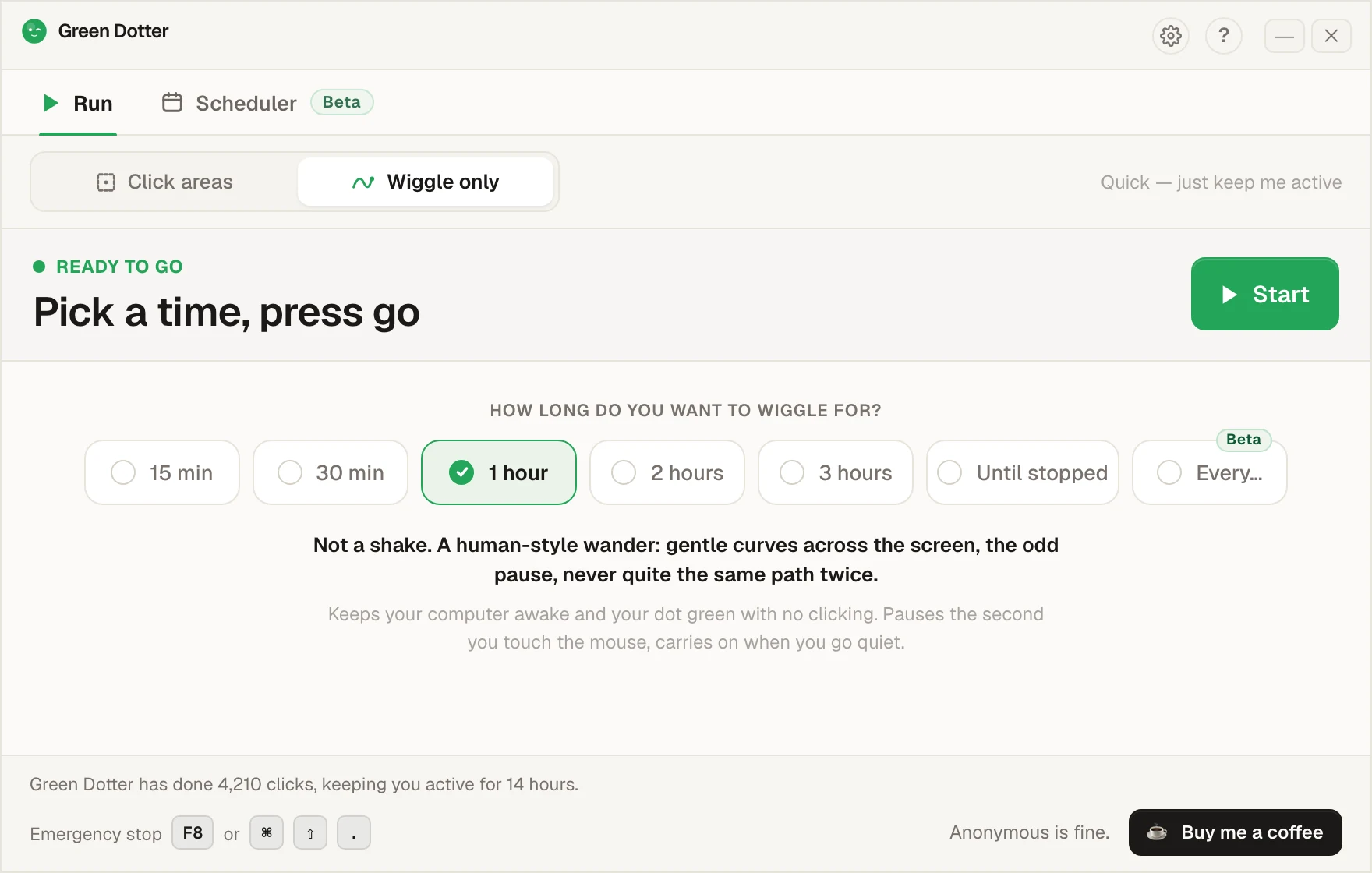
Green Dotter's main screen set to Wiggle only. A row of options offers 15 min, 30 min, 1 hour, 2 hours, 3 hours, Until stopped and Every, with 1 hour chosen, and a green Start button.

It steps aside when you take over.

Touch the mouse and it pauses, then carries on once you stop. While it runs it folds down to a small bar you can park in a corner.
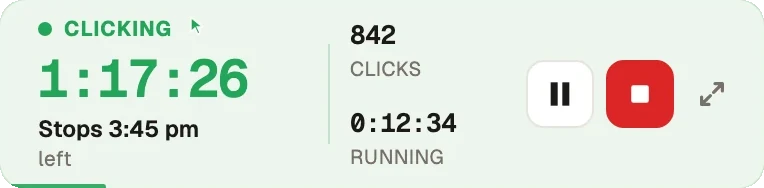
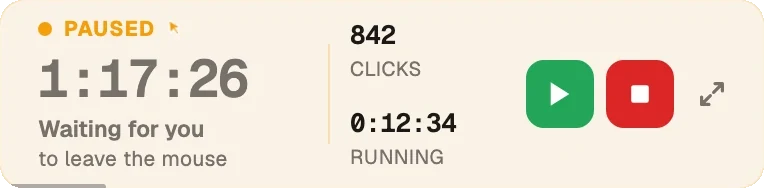
Green Dotter's compact bar while clicking: 1 hour 17 minutes left, stops at 3:45 pm, 842 clicks so far, with pause and stop buttons. The same bar in amber after the mouse was touched: Paused, waiting for you to leave the mouse, with resume and stop buttons.
Beta · new in 2.10

Set the week once.

Pick your days and hours, add a lunch break. Start and stop times shift by a few minutes each day, so it isn't clocking in at 9:00 sharp.
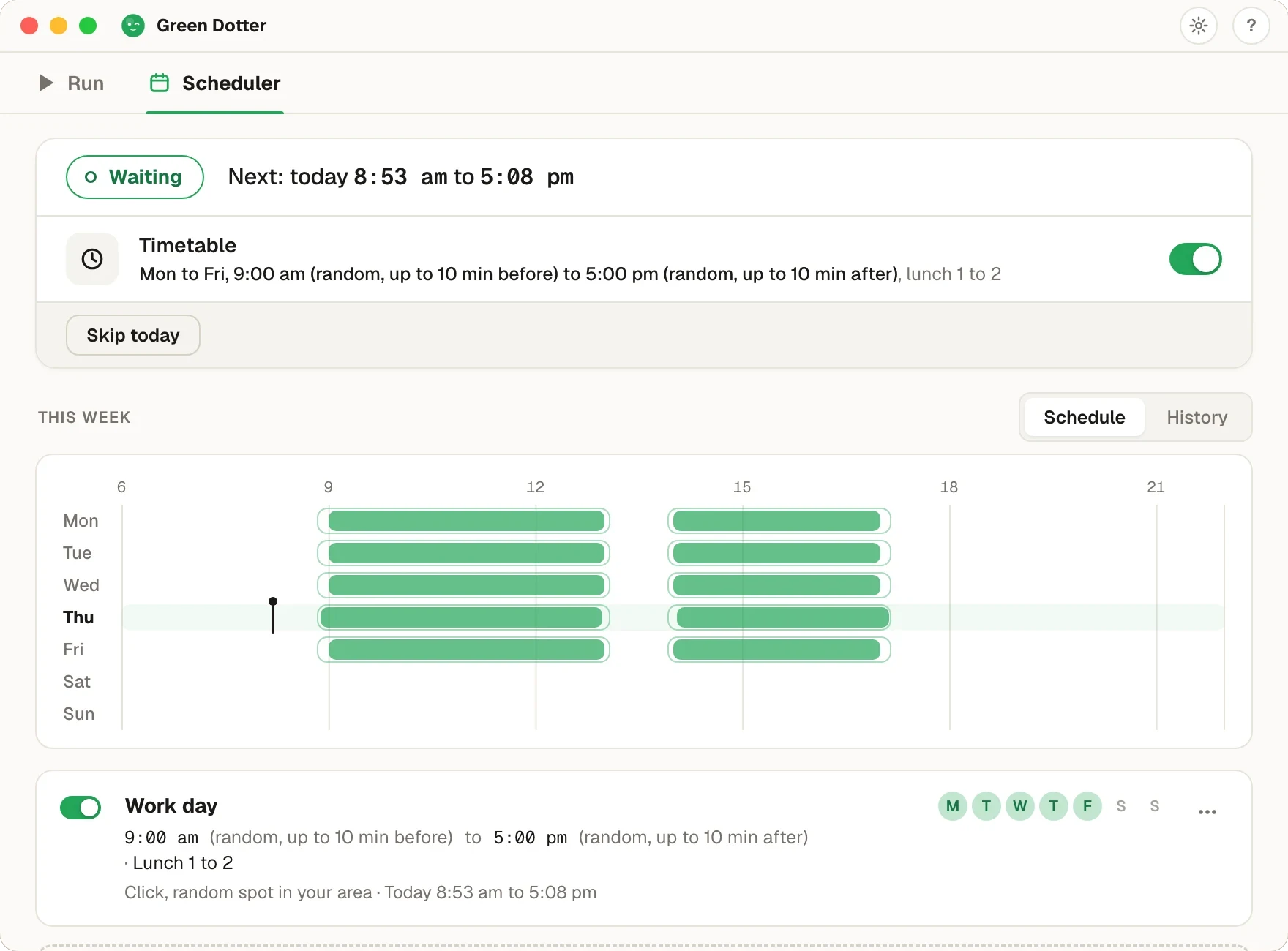
Green Dotter's Scheduler tab. Status Waiting, next run today 8:53 am to 5:08 pm. A Timetable for Monday to Friday, 9:00 am to 5:00 pm with random starts up to 10 minutes before and stops up to 10 minutes after, lunch 1 to 2. Below, a week strip with green bars on each weekday and a gap at lunch.

Green Dotter has to be open, the tray is fine, and your computer on and signed in. It can't wake a sleeping computer. It's new, so if something looks off, tell us.

What a mouse mover does, and why software beats a USB gadget

A mouse mover keeps a computer from looking idle by nudging the pointer now and then. The hardware version is a small USB dongle that pretends to be a mouse. The software version is a program that moves the real pointer for you. Both keep the machine active; the difference is what it costs you to use them.

A dongle costs money and has to be in your bag every time you change desks. Most also keep moving the pointer while you are typing, because they have no way of knowing you are back. Mouse mover software has neither problem. Green Dotter is free, lives on the computer, and stops the moment you touch the mouse yourself. It runs like any other app on your machine.

Wiggle or click: two ways to move

Wiggle only is the mouse mover proper. The pointer drifts in a smooth, human-style path and nothing gets clicked. The only thing to set is how long it should run.

Click areas is for apps that only count you as active when something is actually clicked. Pick one exact spot, or draw a box on screen where a click is harmless, and set a random interval. Green Dotter clicks that spot, or a random point inside the box, and nowhere else.

Either way, the moment you move the mouse, it pauses. Step away again and it carries on.

Installs for your user account, no admin rights needed

On Windows, Green Dotter installs for your user account rather than for the whole machine, so you do not need administrator rights to set it up. It runs on Windows 10 and 11, from the direct download or the Microsoft Store.

On Mac, it is a normal app for macOS 11 or later, on Intel and Apple Silicon. The first time you run it, macOS asks you to allow it under Accessibility, because that is the permission any app needs before it can move the pointer for you.

Coming from Move Mouse?

Move Mouse is a free Windows tool that does the basic job well. If you are Windows-only and happy with it, there is no reason to switch. Green Dotter earns a look if you also use a Mac, or if you want it to pause on its own the moment you get back. Same two modes on both platforms, one app to learn.

This page replaces our old Move Mouse comparison, which used to live at a separate address.

Common questions

Near enough. Both describe a tool that moves the pointer so the computer does not go idle. The two names are used interchangeably, and USB gadgets are more often sold as movers. Green Dotter does the job in software. If you searched for a jiggler, the free mouse jiggler page covers the same app from that angle.
No. Once the screen is locked, both Mac and Windows refuse simulated input, so Green Dotter cannot move the pointer and cannot unlock anything. Start it before you step away. A closed lid, or a lock your IT department enforces, is not something it gets around.
While a session is running, yes: it holds a wake lock and the movement itself counts as activity. If staying awake is the whole job, read the keep your computer awake page first, because a power setting may be all you need.
Green Dotter does not. It installs for your user account, from the direct download or the Microsoft Store, so a standard account is enough. Check your workplace policy before installing anything on a managed laptop.

Official Green Dotter download

Official Green Dotter download

Green Dotter is available two official ways: install from the Microsoft Store, or download it directly from green-dotter.com. No account, email address or subscription is required.

Get Green DotterClicks or wiggles, human-like, wherever and for as long as you set it, and auto stops when you move the mouse. Free for Mac and Windows.